COD BO & MW
PRIVATE SOFTWARE
Arcane
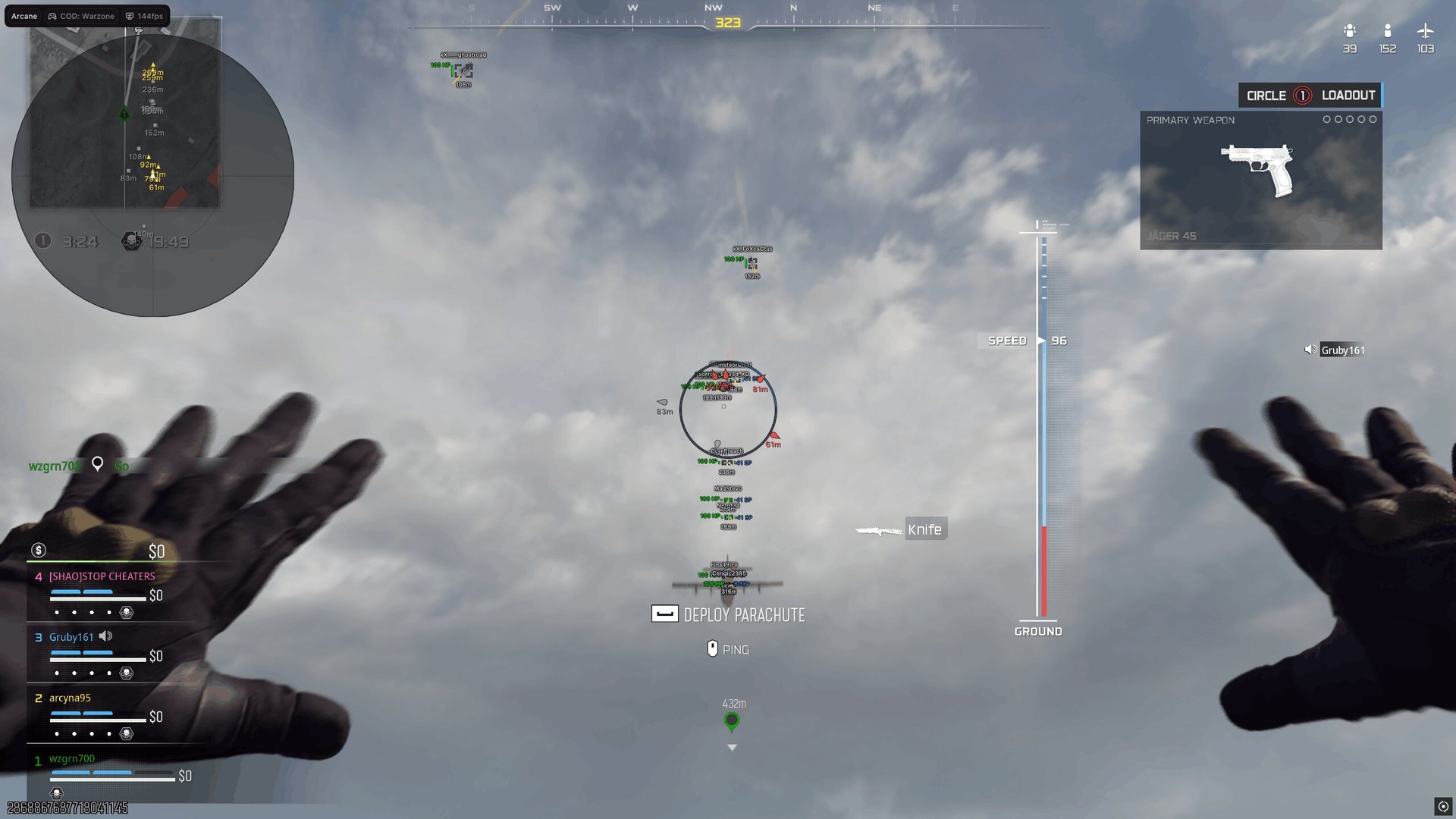
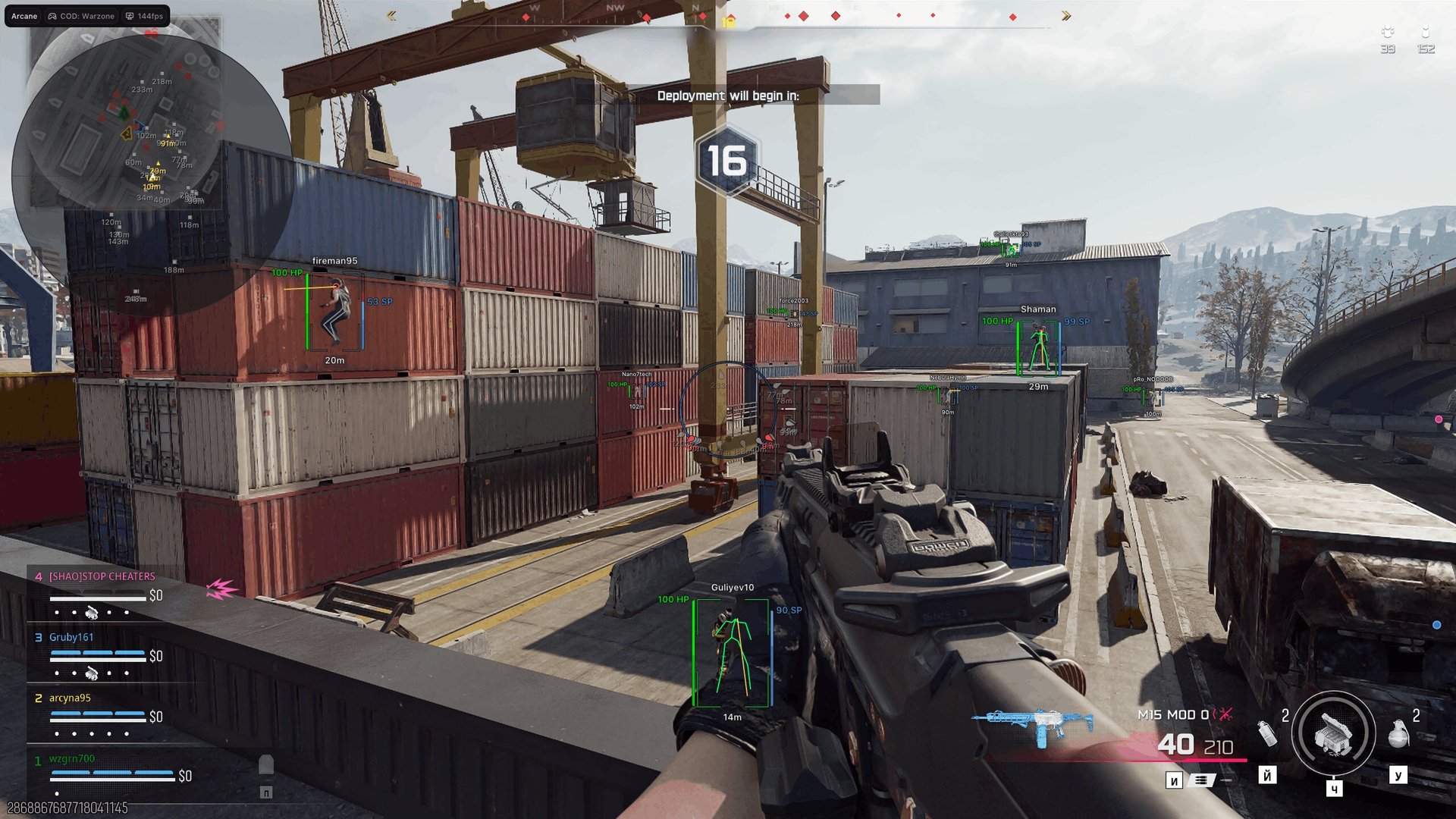
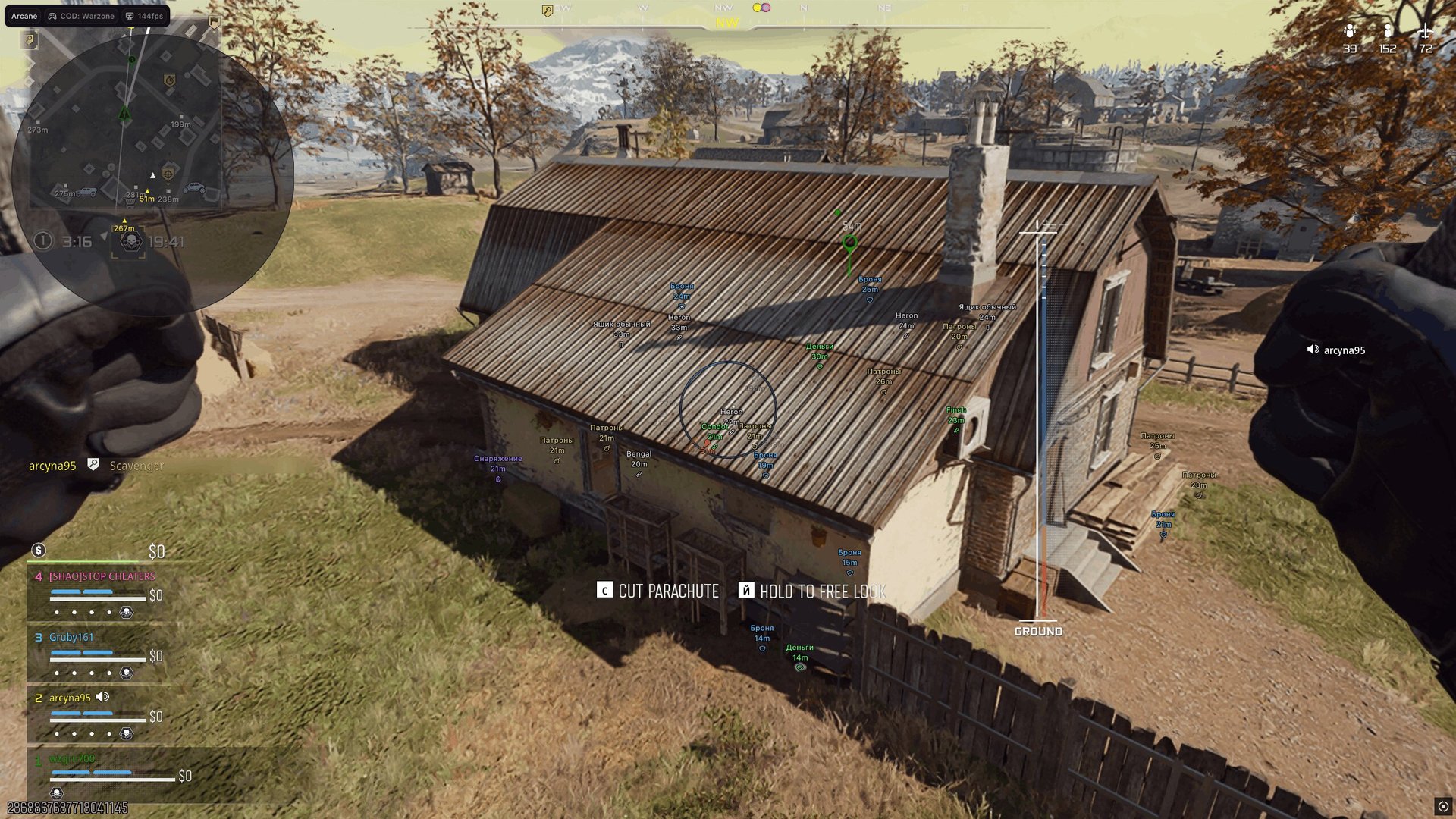
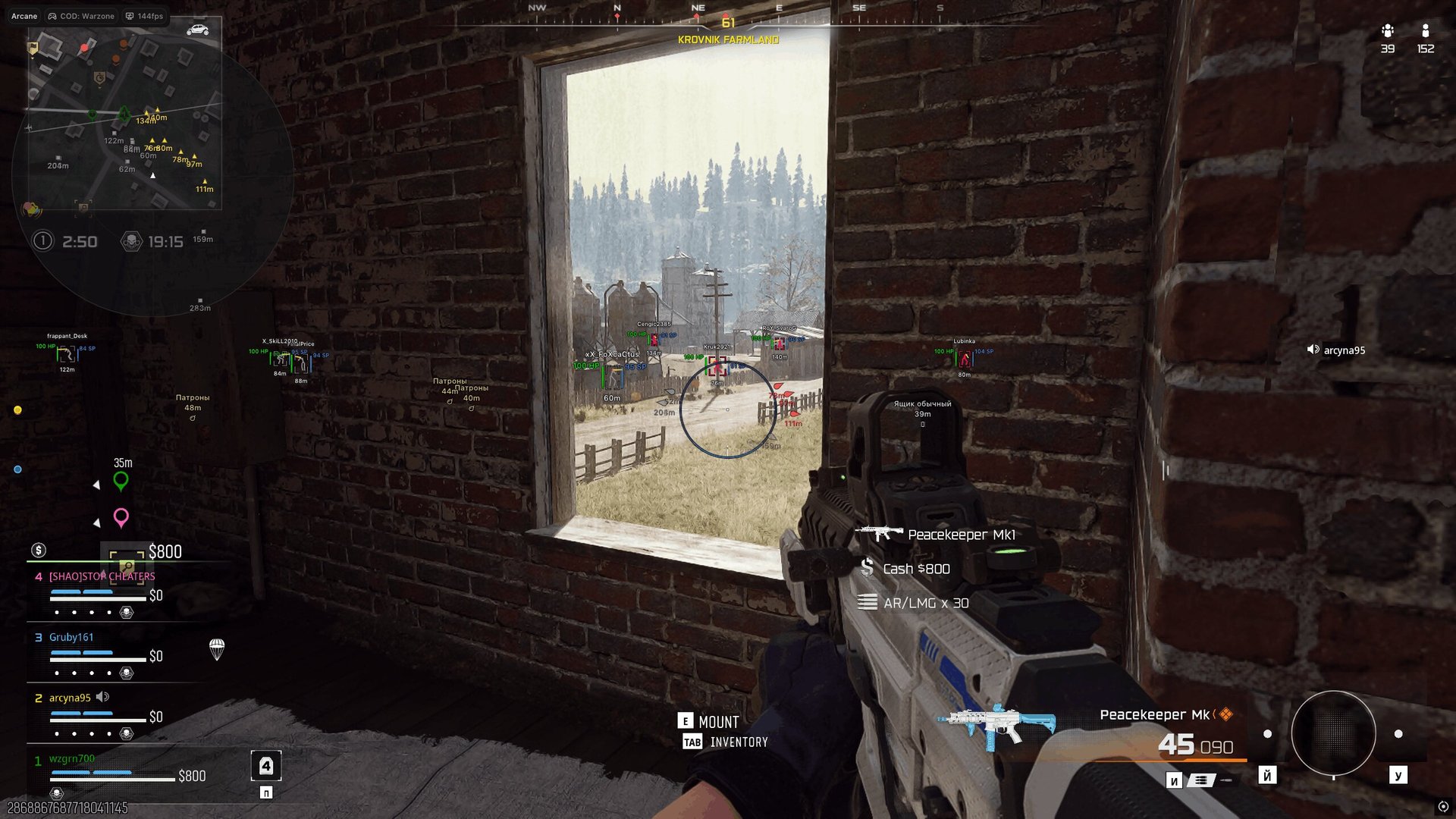
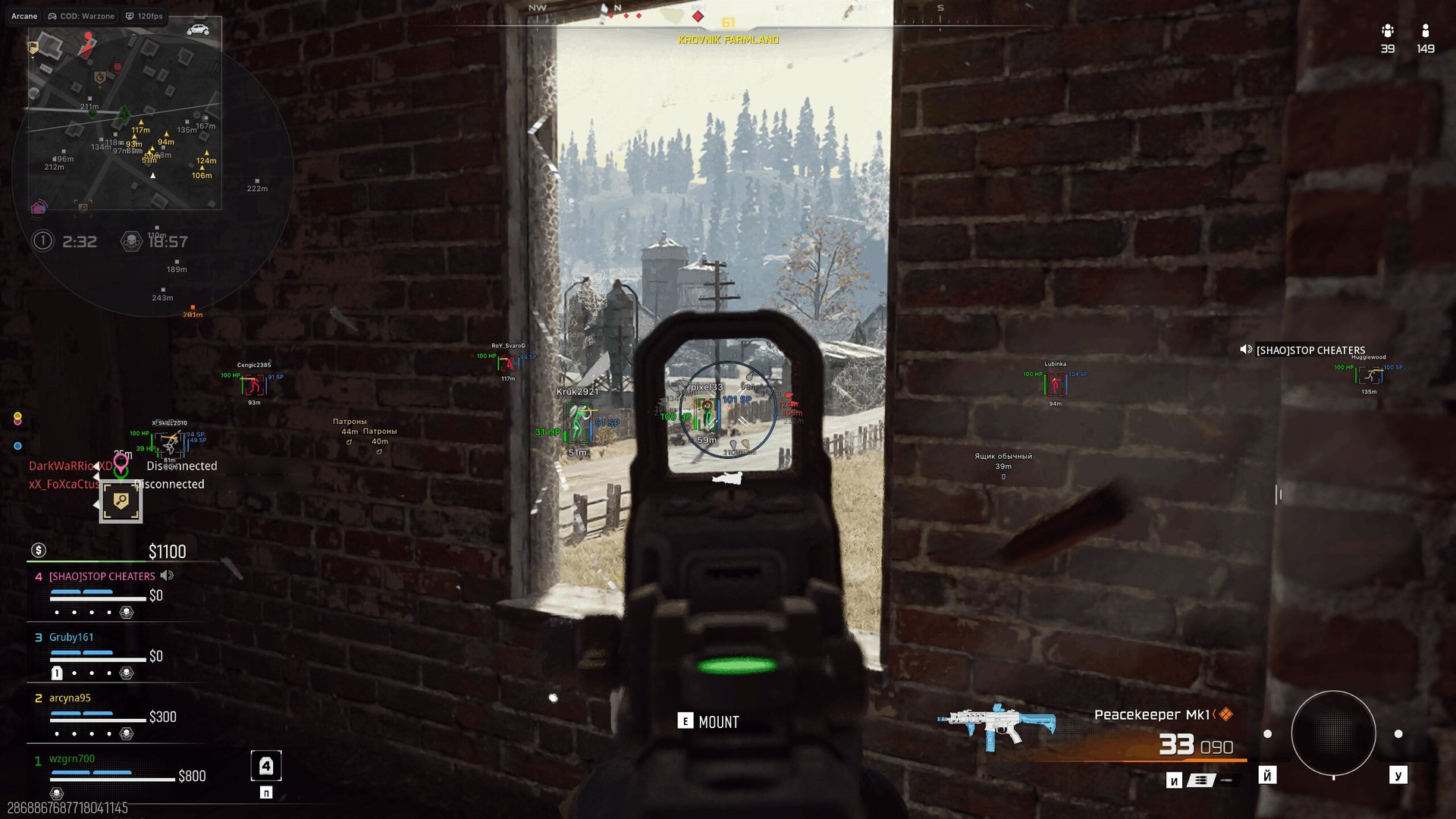
Arcane for Call of Duty: Black Ops 7 and Warzone brings aiming control and battlefield awareness into one configurable package. Aimbot, player ESP and world ESP help you line up engagements, follow opponents and locate equipment without losing sight of the wider fight. Radar and off-screen indicators add positional context when threats move beyond your view, while Battle mode lets you hide selected overlay elements when you want less information on screen. Shape the display around your priorities, save your settings and approach the next engagement with a clearer plan.
STATUS
UNDETECTED

FEATURES
AIMBOT
- Enable aimbot
- Activation key
- Aim type: Memory, Silent
- Mode: Always, On Hold
- Targets: players, bots, knocked players, teammates
- Bone search: selected, nearest or random bone
- Bone selection: head, neck, chest, pelvis and other bones
- Bone selection priority
- Target movement prediction
- Humanization: natural aim sway
- Recoil control system
- Draw FOV circle
- Draw FOV circle background
- FOV circle size
- Aim smoothing
- Target switch delay
- Visibility check
- Maximum distance
PLAYER ESP
- Bounding box: regular or corner
- Box fill: solid or gradient
- Skeleton: line thickness and head circle
- View line: start and end colors
- Line to enemy: position and color
- Health bar
- Armor bar
- Nicknames
- Held weapon names
- Team name
- Distance
- Team-based colors
- Show knocked players
- Show bots
- Visibility check
- Maximum distance
WORLD ESP
- Show distance
- Transparency
- Maximum distance
- Weapons and chests by rarity:
- Common
- Uncommon
- Rare
- Epic
- Legendary
- Other items:
- Dropped items
- Ammo
- Armor
- Equipment
- Money
RADAR
- Enable radar
- Entities: enemies, teammates, bots, knocked players, items
- Position and size settings
- Show distance
OFF-SCREEN INDICATORS
- Enable off-screen indicators
- Entities: enemies, teammates, bots, knocked players
- Position and radius settings
- Show distance
BATTLE MODE
- Activation key
- Hide player overlays
- Hide teammate overlays
- Hide knocked-player overlays
- Hide bot overlays
- Hide item overlays
- Hide world-object overlays
- Hide radar
- Hide off-screen arrows
SETTINGS
- Menu activation key
- Menu unload key
- DPI scale: menu size
- VSync: vertical synchronization
- Theme: dark or light
- Watermark
- Language: EN, RU, CH
CONFIGURATIONS
- Create a configuration
- Get shared: configuration sharing with friends using a unique key
- Load a configuration
- Save a configuration
- Rename a configuration
- Share a configuration
- Remove a configuration
MEDIA